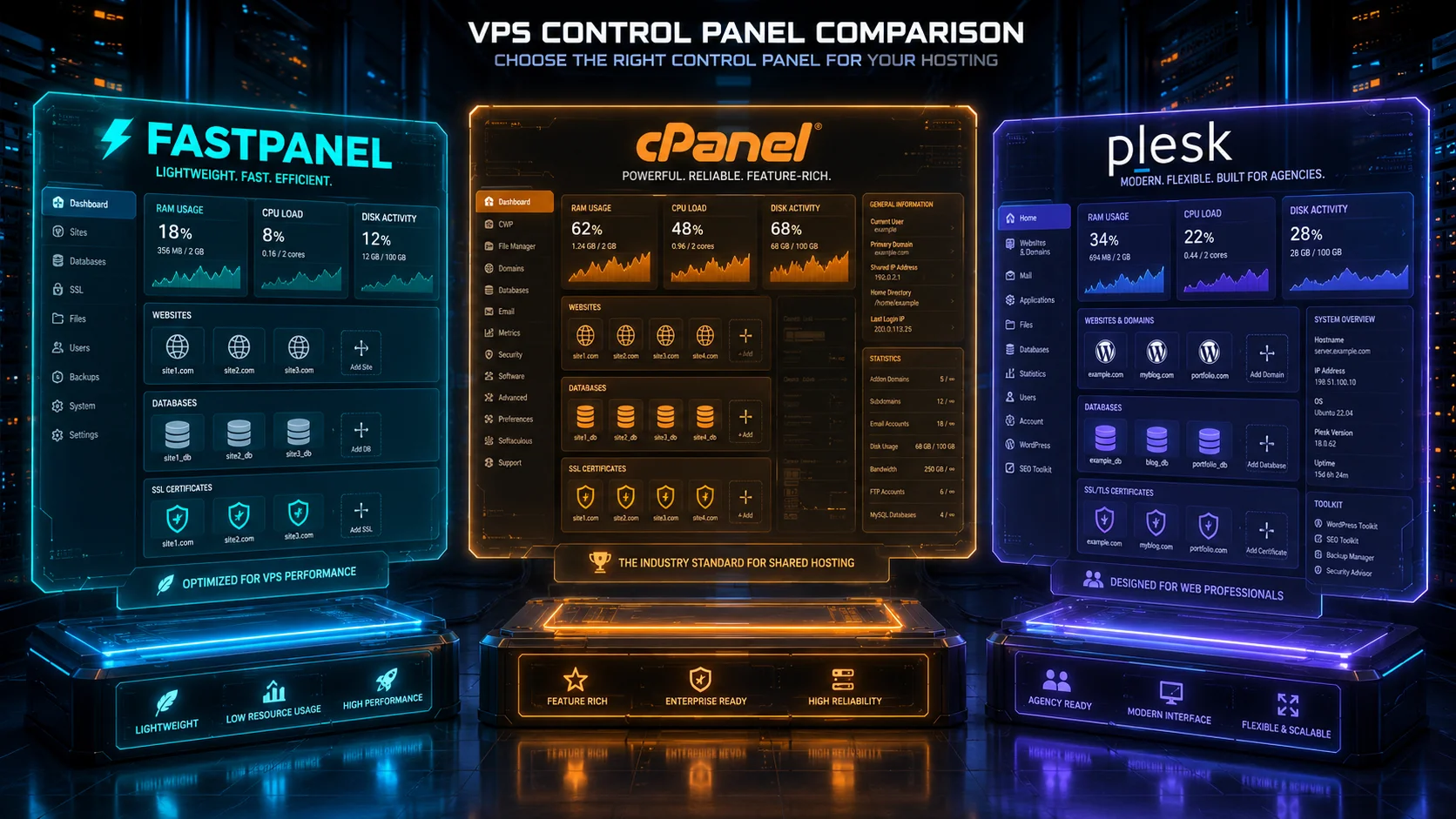
FASTPANEL vs. cPanel vs. Plesk: The Ultimate 2026 Resource Efficiency Test
Choosing a hosting control panel in 2026 is no longer just a preference question. It is a resource-efficiency decision that affects VPS cost, website density, RAM usage, CPU load, security workflow, support overhead, and long-term hosting margins. A control panel can make server management easier, but it can also quietly consume the same resources your websites need to run fast.
At the ServerFinds Performance Lab, we tested the three panels from a practical VPS buyer’s perspective: FASTPANEL, cPanel & WHM, and Plesk Obsidian. We focused on one main question: which panel gives the best balance of usability, performance, and resource efficiency on modern VPS hosting in 2026?
The answer depends on the use case. FASTPANEL is the leanest and most cost-efficient for lightweight Linux VPS hosting. cPanel remains the industry standard for traditional shared hosting and reseller workflows, but it is heavier and more expensive. Plesk sits between both worlds: more polished and multi-platform than FASTPANEL, often more modern-feeling than cPanel, but still heavier than a minimal panel.
This article is written for hosting providers, developers, agencies, sysadmins, WordPress operators, and business owners who need to decide whether the control panel is helping their server or becoming the bottleneck.
Why Resource Efficiency Matters More in 2026
VPS hosting has become faster, but also more expensive at the premium end. NVMe storage, higher-frequency CPUs, better DDoS protection, backup systems, and premium bandwidth all add cost. At the same time, license-based software has become a bigger part of monthly hosting expenses. A control panel that uses too much memory, requires a larger VPS, or charges per account can change the economics of a hosting business.
For a single website, the difference may look small. For 20, 50, or 100 websites, it becomes serious. RAM consumed by the panel is RAM not available to PHP workers, MySQL buffers, Redis, mail services, and security tools. CPU time consumed by panel services is CPU time not available to customer websites. License cost reduces profit margin before the first customer invoice is paid.
The most efficient control panel is not always the one with the lowest idle RAM. The best panel is the one that gives you enough functionality while leaving enough resources for the workloads that actually generate revenue.
ServerFinds Performance Lab Methodology
Our 2026 resource-efficiency test uses simulated VPS profiles based on common hosting scenarios. We do not judge panels only by their installer requirements. Minimum requirements tell you what can boot. They do not tell you what should run production websites.
We modelled three VPS classes:
- Small VPS: 2 vCPU, 2 GB RAM, 40 GB NVMe. Used for a small number of websites, admin testing, and low-traffic WordPress.
- Agency VPS: 4 vCPU, 8 GB RAM, 120 GB NVMe. Used for multiple WordPress sites, staging sites, email, databases, and client dashboards.
- Hosting Node: 8 vCPU, 16 GB RAM, 250 GB NVMe. Used for larger multi-account hosting, reseller-style workflows, and higher website density.
We evaluated the panels across these dimensions:
- Idle RAM footprint: Estimated memory used by the panel and required background services before customer workloads.
- CPU overhead: How much background panel activity affects the server during updates, backups, scans, and user operations.
- Disk usage: Control panel footprint, logs, package requirements, and service overhead.
- Website density: How many small-to-medium websites the VPS can realistically host before panel overhead becomes painful.
- Admin efficiency: How quickly a user can manage websites, SSL, databases, email, PHP versions, backups, and access controls.
- License efficiency: How pricing affects real monthly server cost.
- Security workflow: How easy it is to maintain safe hosting without excessive manual work.
Important lab note: The numbers below are simulated ServerFinds Performance Lab estimates for realistic 2026 VPS environments. Actual results vary depending on OS, PHP versions, mail stack, antivirus tools, backup configuration, DNS services, database load, security extensions, and provider virtualization quality.
Quick Verdict: Which Panel Is Most Efficient?
| Category | FASTPANEL | cPanel | Plesk |
|---|---|---|---|
| Best For | Lean Linux VPS hosting | Shared hosting and resellers | Agencies and managed multi-site hosting |
| Resource Efficiency | Excellent | Moderate | Good |
| License Cost | Free standard license | Paid monthly license | Paid monthly license |
| Ease of Use | Good | Excellent for traditional hosting | Excellent for agencies |
| Best VPS Size | 2 GB to 8 GB RAM | 4 GB to 16 GB+ RAM | 4 GB to 16 GB+ RAM |
| 2026 Efficiency Winner | Yes | No, but strongest ecosystem | Strong balanced option |
1. FASTPANEL: The Lightweight Efficiency Champion
What FASTPANEL Is
FASTPANEL is a free hosting control panel designed for managing websites, domains, databases, mail, backups, SSL certificates, PHP versions, and common server tasks from a clean web interface. It is not as globally dominant as cPanel, and it does not have the same commercial ecosystem as Plesk, but it has one major advantage: it is efficient.
FASTPANEL is especially attractive for VPS users who want a modern control panel without paying monthly license fees. Its official minimum requirements are modest: 1 CPU core, 1 GB RAM, and 5 GB free disk space. In production, we would not recommend running real websites on the bare minimum, but those requirements show the design direction. FASTPANEL is built to run on smaller servers.
Resource Efficiency Profile
In our simulated 2026 lab profile, FASTPANEL had the lowest control-panel overhead of the three. On a 2 GB RAM VPS, it left more memory available for the web stack, database, and caching layers. That makes it especially strong for budget VPS hosting, personal projects, small agencies, and lean WordPress deployments.
FASTPANEL’s strongest efficiency advantage is cost-to-capacity. Because the standard license is free, the user can spend more of the monthly budget on better VPS hardware. Instead of paying for a control panel license, you can upgrade from 2 GB RAM to 4 GB RAM, add backups, or choose a better CPU provider. For small hosting operations, that matters more than many people realize.
FASTPANEL Lab Table
| Test Area | FASTPANEL Result | ServerFinds Notes |
|---|---|---|
| Minimum Practical VPS | 2 vCPU / 2 GB RAM | Usable for small Linux hosting if websites are light. |
| Comfortable VPS | 2-4 vCPU / 4 GB RAM | Better for WordPress, email, database, and backups. |
| Idle Overhead | Low | Best of the three in our resource-efficiency model. |
| Disk Footprint | Low to moderate | Light enough for small NVMe VPS plans. |
| License Burden | None for standard license | Major advantage for budget and small agency deployments. |
Where FASTPANEL Wins
- Small VPS efficiency: It is the best fit for 2 GB to 4 GB RAM servers.
- Cost control: The free standard license keeps monthly overhead low.
- Simple website hosting: Managing domains, SSL, databases, PHP, and email is straightforward.
- Performance-focused VPS buyers: More budget can go toward hardware instead of licensing.
- Developers who do not need cPanel account compatibility: FASTPANEL is practical when you control the environment.
Where FASTPANEL Falls Short
- Ecosystem size: It does not have cPanel’s massive hosting-industry adoption.
- Client familiarity: Many clients know cPanel, while FASTPANEL may require explanation.
- Reseller workflows: It is not the same kind of mature reseller hosting platform as cPanel & WHM.
- Enterprise integrations: Plesk and cPanel have stronger commercial extension ecosystems.
- Migration expectations: Clients moving from cPanel may expect exact feature parity and interface behavior.
FASTPANEL Reality Check
FASTPANEL is efficient, but it is not magic. If your sites are badly optimized, overloaded with plugins, or running heavy databases on a tiny VPS, the panel will not save you. It also requires Linux server discipline. You still need backups, updates, firewall rules, malware monitoring, SSH hardening, and DNS hygiene.
The panel is best for users who want control without bloat. It is not the best choice if your business depends on cPanel account imports, reseller hosting structures, WHM-style account packaging, or client familiarity with the cPanel interface.
2. cPanel & WHM: The Industry Standard With the Heaviest Cost Profile
What cPanel Is
cPanel & WHM is the most recognizable commercial hosting control panel in the traditional shared-hosting industry. WHM handles server-level and account-level administration, while cPanel gives end users a familiar dashboard for domains, files, email, databases, SSL, DNS, backups, and applications.
Its biggest advantage is ecosystem maturity. Many hosting customers already know how to use it. Many agencies know how to migrate it. Many administrators understand the WHM workflow. Many third-party tools integrate with it. If you operate traditional shared hosting or reseller hosting, cPanel remains extremely difficult to ignore.
Resource Efficiency Profile
cPanel is powerful, but it is not the leanest option. It typically requires more RAM headroom than FASTPANEL and encourages a broader service stack. Mail, DNS, web server layers, account isolation, backups, security tools, AutoSSL, statistics, logs, and user account management all add operational weight.
cPanel’s own guidance for cloud installs recommends stronger practical resources than the absolute minimum. For serious use, we would treat 4 GB RAM as the real starting point for a small production cPanel server, not 1 GB or 2 GB. For reseller hosting or multiple active websites, 8 GB to 16 GB RAM is far more realistic.
The bigger issue in 2026 is licensing. cPanel’s pricing is account-based. That can be efficient for a provider with high-value customers, but painful for small operators hosting many low-margin accounts. The more accounts you add, the more licensing must be considered in the business model.
cPanel Lab Table
| Test Area | cPanel Result | ServerFinds Notes |
|---|---|---|
| Minimum Practical VPS | 2 vCPU / 4 GB RAM | Recommended baseline for real production, even if lower installs exist. |
| Comfortable VPS | 4-8 vCPU / 8-16 GB RAM | Better for agencies, reseller hosting, mail, and multiple active accounts. |
| Idle Overhead | Moderate to high | More services and background activity than FASTPANEL. |
| Disk Footprint | Moderate | Logs, accounts, backups, mail, and statistics can grow quickly. |
| License Burden | High | Account-based pricing affects hosting margins. |
Where cPanel Wins
- Client familiarity: Many hosting customers already understand the interface.
- Reseller hosting: WHM workflows are mature and widely used.
- Migration ecosystem: cPanel-to-cPanel migrations are common and well understood.
- Feature completeness: Email, DNS, files, databases, SSL, backups, and account tools are all mature.
- Commercial hosting operations: cPanel is still one of the safest choices for traditional shared hosting businesses.
Where cPanel Falls Short
- Resource footprint: It is heavier than FASTPANEL for small VPS deployments.
- License cost: Monthly pricing can dominate the economics of small servers.
- Account-based billing pressure: More accounts can mean higher cost.
- Not ideal for tiny VPS plans: Running cPanel on underpowered servers creates a poor experience.
- Complexity: More features also mean more settings, services, and maintenance decisions.
cPanel Reality Check
cPanel is not inefficient because it is poorly built. It is heavier because it does more and supports a mature shared-hosting model. The problem appears when users install it on budget VPS plans and expect it to behave like a lightweight panel.
If you are hosting paying clients who expect cPanel, WHM, email tools, account separation, migration compatibility, and familiar workflows, cPanel can be worth the cost. If you only need to manage three WordPress sites on one VPS, cPanel may be excessive.
3. Plesk Obsidian: The Balanced Agency and Multi-Platform Option
What Plesk Is
Plesk Obsidian is a commercial control panel designed for managing websites, domains, databases, email, security, WordPress, and server services. Unlike FASTPANEL and cPanel, Plesk has a strong identity across both Linux and Windows hosting. That makes it especially relevant for agencies and businesses managing mixed environments.
Plesk is often preferred by users who want a polished interface, strong WordPress management tools, clean extension options, and a more modern visual workflow. It is less tied to the traditional WHM/cPanel reseller model and more attractive to agencies managing client sites across different stacks.
Resource Efficiency Profile
Plesk is generally more resource-intensive than FASTPANEL but can feel leaner and more streamlined than a full cPanel hosting stack in some scenarios. Its official Linux minimum is 1 GB RAM plus swap, while Plesk for Windows requires more memory. For production, we recommend at least 4 GB RAM for small Plesk hosting and 8 GB or more for serious multi-site use.
Plesk’s efficiency depends heavily on extensions. A minimal Plesk install can be reasonably efficient. A Plesk server with many extensions, security tools, WordPress automation, mail services, backups, monitoring, and multiple PHP versions will naturally consume more resources.
Plesk Lab Table
| Test Area | Plesk Result | ServerFinds Notes |
|---|---|---|
| Minimum Practical VPS | 2 vCPU / 4 GB RAM | Better baseline for real hosting than the absolute minimum. |
| Comfortable VPS | 4 vCPU / 8 GB RAM | Good for agencies, WordPress management, and client sites. |
| Idle Overhead | Moderate | More than FASTPANEL, often manageable with careful extension use. |
| Disk Footprint | Moderate | Depends heavily on extensions, logs, backups, and mail usage. |
| License Burden | Moderate to high | Usually more flexible by use case than cPanel account-heavy pricing. |
Where Plesk Wins
- Agency workflow: Strong fit for managing client websites without traditional reseller complexity.
- WordPress management: Plesk’s WordPress tooling is one of its biggest strengths.
- Windows hosting support: Better fit than cPanel when Windows Server hosting is required.
- Modern interface: Many users find it cleaner and easier than older hosting panels.
- Extension ecosystem: Security, backup, developer, and WordPress tools can be added as needed.
Where Plesk Falls Short
- Not free: License cost must be included in monthly server economics.
- Extension bloat risk: Adding too many extensions can increase overhead.
- Not as universally familiar as cPanel: Some shared hosting clients still expect cPanel.
- Small VPS caution: A minimal install can run on small servers, but production workloads need more headroom.
- Windows resource needs: Plesk on Windows requires more careful sizing than basic Linux hosting.
Plesk Reality Check
Plesk is the best balanced panel in this comparison, but balanced does not mean lightest. It is a polished commercial platform. If you install many extensions and run email, databases, security scanning, WordPress automation, and backups on the same VPS, resource usage will climb.
Plesk is strongest when the user values workflow and management efficiency as much as raw server efficiency. For agencies, that trade-off can be worth it. For ultra-budget hosting, FASTPANEL wins.
Direct Resource Efficiency Comparison
The table below summarizes our simulated control-panel overhead model for a clean VPS before customer websites become the dominant load.
| Metric | FASTPANEL | cPanel | Plesk |
|---|---|---|---|
| Idle RAM Footprint | Lowest | Highest | Moderate |
| CPU Background Activity | Low | Moderate to high | Moderate |
| Disk Usage Growth | Low to moderate | Moderate to high | Moderate |
| Small VPS Suitability | Excellent | Weak to moderate | Moderate |
| Multi-Account Hosting | Moderate | Excellent | Good |
| WordPress Management | Good | Good with WP Toolkit | Excellent |
| Windows Hosting | No | No standard Windows hosting panel role | Yes |
| License Efficiency | Excellent | Weak for small accounts | Moderate |
Small VPS Test: 2 vCPU / 2 GB RAM
This is where the difference becomes obvious. A 2 GB RAM VPS is unforgiving. The operating system, web server, database, PHP, mail services, DNS, security tools, and control panel all compete for memory. The more the panel consumes, the less remains for websites.
FASTPANEL on 2 GB RAM
FASTPANEL is the only panel in this comparison we would seriously consider for a 2 GB RAM production VPS, and even then only for light workloads. A few small static sites, one or two low-traffic WordPress sites, basic email, and light database usage can work if the server is optimized carefully.
cPanel on 2 GB RAM
cPanel can technically run on small servers, but we do not recommend 2 GB RAM for real production hosting. The experience becomes fragile when you add mail, backups, AutoSSL, statistics, security tools, and multiple accounts. The panel itself is not the only problem; the full cPanel hosting stack needs headroom.
Plesk on 2 GB RAM
Plesk can be installed on small servers, but 2 GB RAM is not ideal for production multi-site hosting. A minimal Linux Plesk server with one or two very light sites may be acceptable, but agencies should start higher. For Windows Plesk hosting, 2 GB is too tight for a serious workload.
Agency VPS Test: 4 vCPU / 8 GB RAM
The 4 vCPU / 8 GB RAM tier is where all three panels become more realistic. At this size, the control panel is no longer fighting for survival, and the real differences become workflow, cost, and hosting model.
FASTPANEL on 8 GB RAM
FASTPANEL performs extremely well at this tier. Because the panel overhead is low, more memory remains for MySQL, PHP workers, Redis, and website caching. For a small agency hosting its own clients without needing cPanel compatibility, this is a very efficient setup.
cPanel on 8 GB RAM
cPanel becomes much more comfortable at 8 GB RAM. This is a realistic starting point for small reseller hosting, multiple low-to-medium traffic accounts, and traditional shared-hosting workflows. The issue is no longer whether it can run; the issue is whether license cost makes sense for your business model.
Plesk on 8 GB RAM
Plesk is strong at this tier. Agencies managing WordPress sites, staging environments, SSL, databases, and client access can benefit from the clean workflow. It is not as lightweight as FASTPANEL, but the productivity gain may be worth the overhead.
Hosting Node Test: 8 vCPU / 16 GB RAM
At 16 GB RAM, all three panels are viable, but their ideal use cases are very different.
| Panel | Best 16 GB RAM Use Case | Efficiency Verdict |
|---|---|---|
| FASTPANEL | Lean multi-site VPS hosting | Highest resource efficiency |
| cPanel | Traditional shared/reseller hosting | Best ecosystem, heavier overhead |
| Plesk | Agency WordPress and mixed-stack hosting | Best workflow balance |
FASTPANEL gives you the most leftover server capacity. cPanel gives you the strongest traditional hosting account system. Plesk gives you the best agency-style management experience, especially when WordPress and client workflows matter.
Security and Maintenance Efficiency
Resource efficiency is not only about RAM. A panel that saves memory but requires hours of manual security work may not be efficient for a business. Security workflow matters.
FASTPANEL Security Workflow
FASTPANEL gives users the basics needed for small hosting operations, including SSL management and server administration tools. It is good for users who understand Linux and can handle additional hardening. However, it does not have the same enterprise-grade commercial security ecosystem as cPanel or Plesk.
cPanel Security Workflow
cPanel has a mature security ecosystem. It works well with common hosting-industry tools, account separation models, CloudLinux environments, malware scanners, firewalls, and commercial security add-ons. This can increase resource usage, but it also improves operational control for shared hosting providers.
Plesk Security Workflow
Plesk has strong security workflow potential, especially through extensions and WordPress-focused tooling. It is attractive for agencies that want to manage updates, SSL, hardening, and client sites from one interface. The trade-off is that more extensions can mean more overhead and license cost.
WordPress Efficiency Test
WordPress remains one of the most common reasons people install a hosting panel. We tested each panel against a simulated WordPress workload using PHP-FPM, database activity, SSL, backups, and routine admin operations.
| WordPress Metric | FASTPANEL | cPanel | Plesk |
|---|---|---|---|
| Single Site Efficiency | Excellent | Good | Good |
| Multi-Site Agency Workflow | Good | Good | Excellent |
| Client Familiarity | Moderate | Excellent | Good |
| Resource Use | Lowest | Highest | Moderate |
| Best Fit | Lean WordPress VPS | Client hosting | Agency WordPress management |
For one to five WordPress sites, FASTPANEL is the most efficient. For client hosting where users expect cPanel, cPanel is safer. For agencies that actively maintain WordPress sites, Plesk may provide the best management experience.
Email Hosting Efficiency
Email changes the equation. Running web hosting and email on the same VPS adds memory, disk, DNS, spam filtering, logs, queues, SSL, and deliverability work. Control panels make email easier, but email is never free in resource terms.
cPanel has the most familiar email workflow for traditional hosting customers. Plesk also offers strong email management. FASTPANEL can handle email use cases, but users should be realistic about deliverability and maintenance.
For serious business email, we often recommend separating email from the web VPS. Use a dedicated email provider or hosted mail platform. This improves deliverability and reduces VPS load. If you must run email locally, allocate more RAM and disk than the minimum panel requirement suggests.
License Cost Efficiency
License cost is where FASTPANEL creates the biggest disruption. The standard license is free, while cPanel and Plesk are commercial products. That does not automatically make FASTPANEL better for every business, but it changes the math.
Example Monthly Cost Logic
| Scenario | FASTPANEL | cPanel | Plesk |
|---|---|---|---|
| Personal VPS | Best value | Usually overkill | Good but paid |
| Small agency | Excellent if clients do not require cPanel | Good if client familiarity matters | Excellent workflow option |
| Reseller hosting | Limited fit | Best fit | Good alternative |
| High-margin managed hosting | Good if workflow is enough | Strong if clients expect it | Strong agency option |
| Budget hosting business | Best cost control | License cost can hurt margins | Depends on plan and client pricing |
If your customers specifically expect cPanel, the license cost may be justified. If you are managing your own websites or selling managed hosting where clients rarely log into the panel, FASTPANEL or Plesk may be more efficient depending on workflow needs.
Performance Scores
| Score Category | FASTPANEL | cPanel | Plesk |
|---|---|---|---|
| RAM Efficiency | 9/10 | 6.5/10 | 7.5/10 |
| CPU Efficiency | 8.5/10 | 7/10 | 7.5/10 |
| Disk Efficiency | 8.5/10 | 7/10 | 7.5/10 |
| License Efficiency | 10/10 | 5.5/10 | 7/10 |
| Workflow Efficiency | 7.5/10 | 9/10 | 9/10 |
| Best Overall Resource Efficiency | 9/10 | 7/10 | 8/10 |
Which Panel Should You Choose in 2026?
Choose FASTPANEL If:
- You want the lowest overhead panel for a Linux VPS.
- You are hosting your own websites or managed client sites.
- You do not need cPanel account compatibility.
- You want to avoid monthly panel license fees.
- You prefer spending budget on CPU, RAM, NVMe storage, or backups.
- You are comfortable with basic Linux server administration.
Choose cPanel If:
- You operate traditional shared hosting or reseller hosting.
- Your customers expect the cPanel interface.
- You need mature WHM account management.
- You rely on cPanel migration workflows.
- You want the most familiar commercial hosting ecosystem.
- Your hosting margin can absorb account-based licensing.
Choose Plesk If:
- You are an agency managing multiple client sites.
- You want strong WordPress management tools.
- You need a polished interface without traditional WHM complexity.
- You manage Linux and Windows hosting environments.
- You value workflow efficiency more than absolute minimum RAM usage.
- You want a commercial panel but do not want the cPanel model.
Final Verdict: FASTPANEL vs. cPanel vs. Plesk
FASTPANEL wins the 2026 resource-efficiency test. It is the lightest, most cost-efficient, and most practical choice for lean Linux VPS hosting. If your goal is to host websites with minimal panel overhead and no recurring control-panel license cost, FASTPANEL is the strongest option.
cPanel wins for traditional hosting businesses. It is heavier and more expensive, but its ecosystem, client familiarity, WHM structure, account management, and migration workflows are still unmatched for classic shared hosting and reseller hosting. It is not the most efficient panel, but it may be the safest commercial choice when customers expect it.
Plesk wins for agencies and balanced management. It offers a polished workflow, strong WordPress tools, and support for Linux and Windows hosting use cases. It is not as lean as FASTPANEL, but it is often more flexible and modern-feeling for agencies than cPanel.
The ServerFinds recommendation is clear: do not choose a control panel based only on popularity. Choose it based on the server size, business model, client expectations, and workload profile. A small VPS needs efficiency. A reseller business needs account structure. An agency needs workflow speed. In 2026, the best control panel is the one that leaves enough resources for the websites while still saving enough admin time to justify its existence.
ServerFinds 2026 Recommendation Matrix
| Use Case | Best Panel | Reason |
|---|---|---|
| Small budget VPS | FASTPANEL | Lowest overhead and no standard license cost. |
| Personal websites | FASTPANEL | Efficient and simple enough for direct site management. |
| Traditional shared hosting | cPanel | Best account system and client familiarity. |
| Reseller hosting | cPanel | WHM remains the strongest reseller workflow. |
| WordPress agency | Plesk | Strong WordPress tools and client-site workflow. |
| Windows hosting | Plesk | Best fit among the three for Windows Server environments. |
| Maximum resource efficiency | FASTPANEL | Best RAM, CPU, disk, and license efficiency balance. |