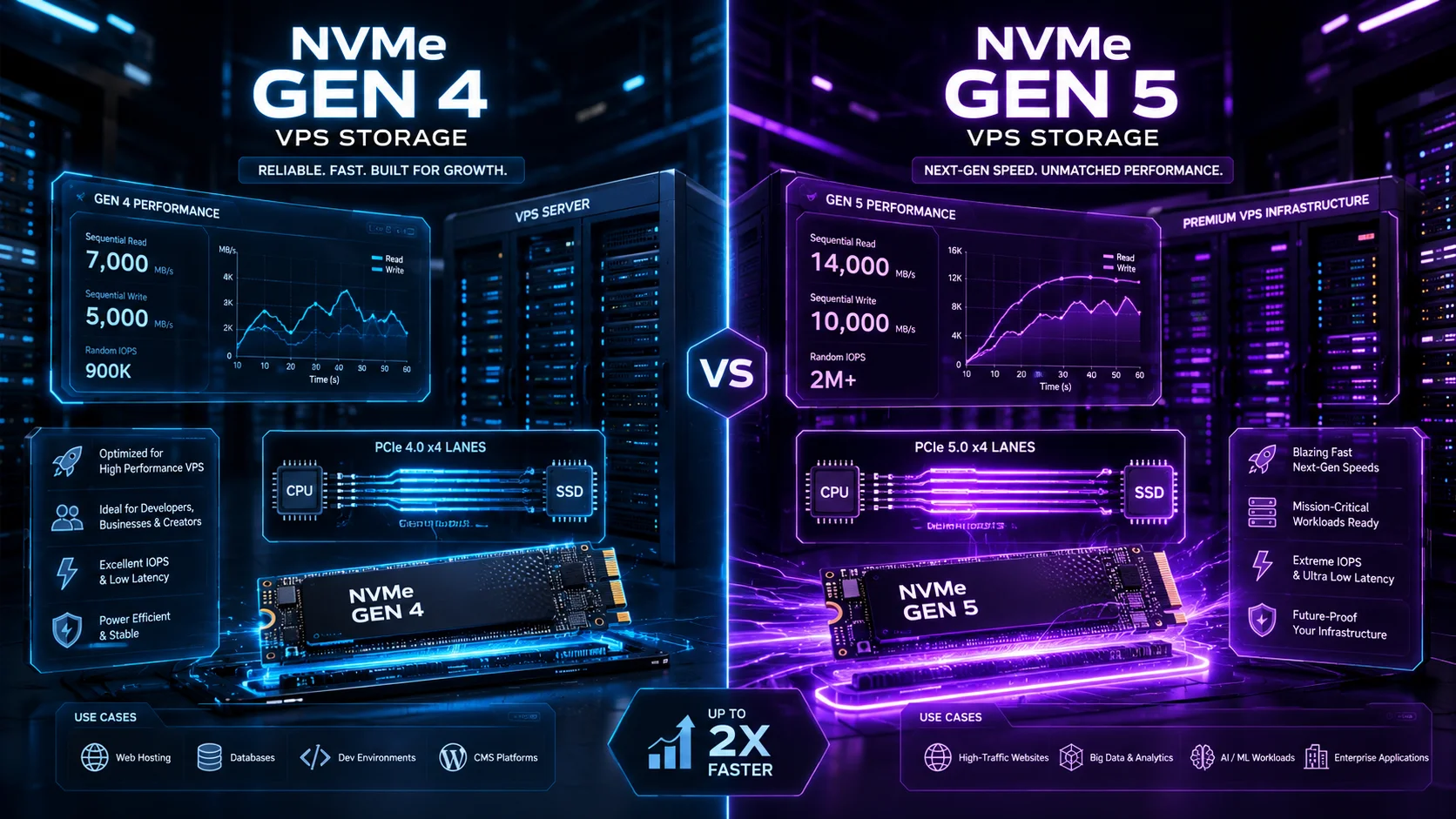
NVMe Gen5 vs. Gen4 VPS: Is the Speed Upgrade Worth It in 2026?
NVMe storage has become one of the most aggressively marketed features in the VPS industry. In 2026, almost every serious hosting provider mentions NVMe somewhere on the pricing page. Some advertise standard NVMe. Others promote PCIe Gen4 NVMe. A smaller group now advertises PCIe Gen5 NVMe as a premium performance feature. The question is simple: does NVMe Gen5 actually make a VPS faster, or is it just another hosting buzzword?
At the ServerFinds Performance Lab, we look at storage upgrades from the perspective of real workloads: websites, APIs, databases, control panels, container nodes, Windows VPS environments, game panels, CI/CD systems, ecommerce stores, and high-traffic WordPress installations. Raw sequential read speed is useful, but it does not tell the full story. A VPS is not a desktop PC copying one huge file. It is a shared or virtualized server environment where CPU allocation, hypervisor limits, network latency, filesystem behavior, database design, and provider overselling can matter as much as the SSD generation.
The short answer is this: NVMe Gen5 is technically faster than Gen4, but not every VPS user will feel the difference. If your workload is limited by database I/O, high concurrency, random reads, large log writes, AI data pipelines, heavy indexing, or multiple virtualized tenants, Gen5 can be meaningful. If your workload is a small website, a low-traffic WordPress blog, a lightweight API, or a basic RDP server, the upgrade may not be worth paying a major premium.
This guide explains the real difference between Gen4 and Gen5 NVMe VPS hosting, where the upgrade matters, where it does not, and how to avoid paying for theoretical speed that your application cannot use.
What NVMe Actually Means in VPS Hosting
NVMe stands for Non-Volatile Memory Express. It is a storage protocol designed for flash-based SSDs. Older SSDs often used SATA or SAS interfaces that were originally designed around slower storage assumptions. NVMe was built for modern flash memory, lower latency, deeper queues, and higher parallelism.
In VPS hosting, NVMe usually means the physical server uses NVMe SSDs behind the virtualization layer. Your VPS does not always receive direct, exclusive access to a physical NVMe drive. Instead, the provider typically virtualizes storage through a hypervisor, storage pool, RAID layer, distributed storage cluster, local NVMe array, or software-defined storage system.
That distinction matters. A provider can advertise NVMe and still deliver mediocre real-world disk performance if the node is oversold, the storage backend is congested, the virtualization layer is poorly tuned, or too many tenants are writing at the same time. A well-managed Gen4 NVMe platform can outperform a badly managed Gen5 platform in real workloads.
For VPS buyers, the right question is not only “Is it NVMe?” The better question is: how much usable storage performance does my VPS actually receive under load?
PCIe Gen4 vs. Gen5: The Technical Difference
PCIe is the interface that connects high-speed components such as SSDs, GPUs, and network cards to the server platform. PCIe Gen4 and Gen5 are different generations of that interface. Each new generation doubles the raw transfer rate per lane compared with the previous generation.
| Specification | PCIe Gen4 NVMe | PCIe Gen5 NVMe |
|---|---|---|
| Raw Transfer Rate | 16 GT/s per lane | 32 GT/s per lane |
| Typical SSD Link | PCIe 4.0 x4 | PCIe 5.0 x4 |
| Theoretical Direction | High-performance modern VPS storage | Premium next-generation storage |
| Best Fit | Web hosting, databases, apps, general VPS | High-I/O databases, AI pipelines, heavy virtualization, analytics |
| Real-World Limitation | Provider tuning, CPU, storage pool design | Same limits, plus cost and heat/power considerations |
On paper, Gen5 is a major upgrade. A high-end Gen5 enterprise SSD can deliver much higher sequential throughput and extremely strong random I/O. In a dedicated server, bare-metal storage node, or AI data platform, that extra bandwidth can matter immediately. In a VPS, the picture is more complicated.
A VPS does not always expose the full physical drive capability to one customer. Providers often apply fair-use limits, I/O throttling, shared storage pools, or quality-of-service rules. These limits exist for a good reason: one noisy tenant should not be allowed to destroy disk performance for every other VM on the node. But it also means the physical Gen5 drive may be much faster than what your individual VPS plan can actually use.
The ServerFinds Lab View: What We Simulate
For this comparison, the ServerFinds Performance Lab uses simulated 2026 VPS profiles rather than unrealistic desktop benchmarks. We model how Gen4 and Gen5 storage behave in hosting conditions where storage is virtualized, shared, rate-limited, and affected by real application behavior.
Our simulated profiles include:
- WordPress WooCommerce workload: PHP, MySQL/MariaDB, object cache, product browsing, cart activity, and admin dashboard writes.
- ASP.NET and MSSQL workload: Windows VPS pattern with IIS, SQL queries, log writes, and scheduled tasks.
- Container node workload: Docker image pulls, container restarts, layered filesystem writes, and logging.
- Database-heavy API workload: frequent random reads, small writes, index usage, and transaction logging.
- Backup and restore workload: large sequential reads/writes, compression, and snapshot behavior.
- Noisy-neighbor stress model: multiple tenants generating disk activity on the same underlying platform.
The goal is not to prove that Gen5 is faster in a clean benchmark. It is. The goal is to determine when a VPS buyer should actually pay extra for it.
Sequential Speed: Where Gen5 Looks Impressive
Sequential speed is the easiest number to market. It measures how fast a drive can read or write large continuous files. Gen5 NVMe can be dramatically faster than Gen4 in this area. This matters for workloads that move huge files, scan large datasets, restore backups, process media, or stream data to GPUs.
For normal websites, sequential speed is often overrated. A WordPress page load usually does not read a 50 GB file from disk. It loads PHP files, queries a database, reads cache entries, serves images, and waits on network and application execution. Once storage is already fast enough, more sequential throughput may not improve the user experience.
Where Sequential Gen5 Speed Helps
- Large backup restoration
- Database dump imports
- Media processing pipelines
- Large log analysis
- AI dataset preparation
- High-volume object or file scanning
- Data warehouse staging
Where It Usually Does Not Matter Much
- Small business websites
- Low-traffic WordPress blogs
- Basic landing pages
- Small APIs with low database activity
- Simple RDP administration servers
- Static websites behind a CDN
Random I/O: The Real VPS Storage Metric
For VPS hosting, random I/O is often more important than sequential throughput. Random I/O measures how well storage handles many small reads and writes scattered across the disk. Databases, CMS platforms, control panels, logging systems, and containerized applications all depend heavily on random I/O.
This is where NVMe became important in hosting. Compared with SATA SSDs, NVMe greatly improved latency and queue handling. Gen4 NVMe already provides strong random I/O for most VPS workloads. Gen5 can improve the ceiling further, especially on enterprise drives with better controllers, more channels, higher endurance, and improved power-loss protection.
However, the VPS layer can hide much of this improvement. If your provider caps disk I/O per VPS, a Gen5 drive may not deliver much more than Gen4 to your specific plan. If the storage pool is overloaded, Gen5 hardware cannot fully compensate for poor platform design.
| Workload | Gen4 NVMe Impact | Gen5 NVMe Impact | Upgrade Worth It? |
|---|---|---|---|
| WordPress blog | Very good | Minor visible gain | Usually no |
| WooCommerce store | Strong | Useful under high concurrency | Sometimes |
| MSSQL VPS | Strong | Useful for heavier queries and writes | Often yes |
| Container host | Strong | Useful for image pulls and logs | Sometimes |
| AI data pipeline | Good | Major benefit | Yes |
| Static website | More than enough | No practical gain | No |
Latency: The Hidden Factor Most Buyers Ignore
Storage latency measures how quickly the system responds to an I/O request. Low latency is critical for databases and interactive applications. A drive can have impressive maximum throughput but still feel poor if latency spikes under load.
For VPS users, latency consistency matters more than peak speed. A database that usually responds quickly but randomly stalls during write bursts can damage application performance. A control panel that freezes during backups creates a poor administration experience. An ecommerce store that slows down when orders are being written can lose revenue.
Gen5 enterprise SSDs can improve latency behavior, but only when the rest of the platform is engineered correctly. The provider needs good thermal management, quality controllers, enterprise firmware, sufficient overprovisioning, power-loss protection, and sensible tenant isolation. Without that, the Gen5 label alone does not guarantee stability.
CPU Bottlenecks: Why Faster Storage May Not Speed Up Your VPS
One of the biggest surprises in VPS testing is how often storage is not the main bottleneck. Many workloads become CPU-limited before they become disk-limited. PHP execution, Node.js processing, .NET runtime behavior, encryption, compression, database query planning, and malware scanning can all consume CPU before storage becomes the constraint.
For example, upgrading from Gen4 to Gen5 NVMe will not fix a slow WordPress site caused by unoptimized plugins, no page cache, a bloated theme, slow external API calls, or weak CPU allocation. It will not fix poor SQL indexing. It will not make a remote server feel fast if the real problem is network latency between the administrator and the data center.
This is why ServerFinds does not recommend choosing a VPS based only on storage generation. A balanced VPS with strong CPU, enough RAM, good network routing, and properly managed Gen4 NVMe can beat an unbalanced Gen5 plan in real use.
RAM Still Matters More Than Many Users Think
Storage performance matters, but RAM often matters first. If a database has enough memory to cache active data, it may not need to hit disk as often. If a web server has enough RAM for page cache, object cache, PHP workers, and database buffers, the storage layer becomes less stressed.
Many users make the mistake of paying extra for premium storage while staying on a low-memory VPS. That is backwards. A 2 GB VPS with Gen5 NVMe can still perform badly under a database-heavy workload because the operating system and database are constantly fighting for memory. A 8 GB or 16 GB VPS with Gen4 NVMe may be much faster in practice because it avoids excessive swapping and keeps hot data in memory.
Practical Rule
Before paying extra for Gen5 NVMe, make sure the VPS has enough RAM for the workload. For WordPress, that often means 4 GB minimum for serious sites. For WooCommerce, 8 GB is a safer baseline. For MSSQL or heavier databases, 16 GB or more may be more important than moving from Gen4 to Gen5.
NVMe Gen5 for Databases
Databases are one of the strongest arguments for Gen5 NVMe. MySQL, MariaDB, PostgreSQL, and Microsoft SQL Server all benefit from fast random I/O, low latency, and strong write behavior. But the benefit depends on database size, query design, cache hit ratio, and write intensity.
For a small database where most active data fits in RAM, Gen5 may not produce a dramatic difference. For a larger database with frequent random reads and writes, Gen5 can reduce wait time and improve throughput. For write-heavy systems, transaction log performance can also matter.
Gen5 Makes Sense for Databases When:
- The working dataset is larger than available memory.
- The application has high write volume.
- There are many concurrent users or transactions.
- Indexes are large and frequently accessed.
- Backups and restores must complete quickly.
- The database shares the VPS with other services and needs more I/O headroom.
Gen5 Does Not Fix:
- Missing indexes
- Bad query design
- Insufficient RAM
- Weak CPU allocation
- Slow application code
- Remote network latency
NVMe Gen5 for WordPress and WooCommerce
For standard WordPress hosting, Gen4 NVMe is already fast enough in most cases. The bigger performance gains usually come from caching, PHP worker tuning, object cache, database optimization, CDN usage, image compression, and avoiding bad plugins.
WooCommerce is different. Ecommerce stores generate more database writes than simple blogs. Carts, sessions, orders, stock updates, admin actions, payment callbacks, and search behavior can create more disk pressure. In high-concurrency WooCommerce stores, Gen5 NVMe can help, but only after the site is already well-optimized.
If your WooCommerce store is slow because of 80 plugins, no Redis object cache, a heavy page builder, and poor PHP limits, Gen5 storage will not magically fix it. If the store is already tuned and the database is the bottleneck, Gen5 can be worth considering.
NVMe Gen5 for Windows VPS, RDP, ASP.NET, and MSSQL
Windows VPS users should evaluate Gen5 carefully. Windows Server performs many background operations: updates, Defender scans, logs, indexing, service operations, and application writes. Faster storage can improve responsiveness, especially during update and reboot cycles.
For basic RDP use, Gen4 NVMe is usually enough. The remote desktop experience is more affected by CPU, RAM, and network latency. However, for ASP.NET plus MSSQL, Gen5 becomes more interesting. SQL Server can benefit from low latency and strong write behavior, especially if the database is active and the VPS has enough memory to avoid constant pressure.
For Windows VPS buyers, the right upgrade order is usually:
- First: Choose a nearby data center for lower RDP latency.
- Second: Get enough RAM for Windows and applications.
- Third: Choose enough CPU for IIS, SQL Server, and background tasks.
- Fourth: Upgrade to faster storage if the workload is I/O-bound.
NVMe Gen5 for AI, Analytics, and Data Pipelines
This is where Gen5 NVMe becomes much easier to justify. AI workloads, analytics pipelines, vector databases, retrieval systems, dataset preprocessing, and GPU-connected storage workflows can consume huge amounts of data quickly. If the storage layer cannot feed the workload, expensive CPU or GPU resources sit idle.
For VPS users, this usually applies to higher-end cloud instances rather than small shared VPS plans. If the provider offers Gen5 NVMe on performance VPS, dedicated VPS, or bare-metal cloud, it can be valuable for data-heavy workloads. The important question is whether the plan gives you enough dedicated I/O to benefit from the hardware.
When NVMe Gen5 Is Worth Paying For
NVMe Gen5 is worth the upgrade when storage is clearly part of the performance problem and the provider gives your VPS enough access to the underlying speed.
- High-traffic database-backed applications: APIs, SaaS platforms, dashboards, and ecommerce systems with frequent reads and writes.
- Large WooCommerce stores: Especially stores with active search, many products, and high order volume.
- MSSQL and Windows database workloads: When paired with enough RAM and CPU.
- Container and CI/CD nodes: Faster image extraction, dependency installation, and build cache operations.
- Analytics and data processing: Large file scans, transformations, indexing, and reporting.
- AI and vector workloads: Dataset preparation, embedding stores, retrieval-augmented generation support systems, and high-throughput local storage.
- Heavy backup/restore operations: When restore time directly affects business continuity.
When NVMe Gen5 Is Not Worth It
For many VPS users, Gen5 is not the best place to spend money. The upgrade may be technically impressive but practically invisible.
- Small websites: A low-traffic business site will not usually saturate Gen4 NVMe.
- Static sites: CDN and network routing matter more than local disk generation.
- Basic RDP servers: CPU, RAM, and latency matter more.
- Unoptimized WordPress: Fix caching, plugins, PHP workers, and database indexes first.
- Low-memory VPS plans: Upgrade RAM before storage generation.
- Throttled VPS plans: If the provider caps I/O heavily, Gen5 hardware may not matter.
Provider Marketing: What to Watch For
Hosting companies often use storage labels aggressively. “NVMe” sounds fast. “Gen5 NVMe” sounds even faster. But buyers should look for details.
Ask These Questions Before Paying More
- Is the storage local NVMe or network-attached NVMe?
- Is it PCIe Gen4 or Gen5?
- Are there published I/O limits per VPS?
- Does the plan include guaranteed IOPS?
- Is the storage shared across many tenants?
- Does the provider use enterprise SSDs with power-loss protection?
- Are backups stored on the same storage system or separately?
- Can the provider show real benchmark ranges for VPS customers?
A provider that clearly explains storage architecture deserves more trust than one that only says “ultra-fast NVMe” with no details.
ServerFinds Lab Simulated Performance Table
| Scenario | Gen4 NVMe VPS | Gen5 NVMe VPS | Observed Difference |
|---|---|---|---|
| Small WordPress site | Excellent | Excellent | Minimal visible improvement |
| WooCommerce under load | Strong | Stronger | Useful if database-bound |
| Large database import | Fast | Much faster | Clear improvement |
| Container image extraction | Fast | Faster | Noticeable on repeated builds |
| Basic RDP session | Smooth | Smooth | Network and RAM matter more |
| AI dataset processing | Good | Excellent | Major improvement |
| Backup restoration | Fast | Faster | Important for recovery windows |
Cost Analysis: The Upgrade Must Match the Workload
Gen5 NVMe costs more at the infrastructure level. Drives are more expensive, power and cooling requirements can be higher, and server platforms must support PCIe 5.0 properly. Providers may pass that cost to customers through premium VPS tiers.
If the price difference is small, choosing Gen5 can be a smart future-proofing move. If the price difference is large, the money may be better spent on more RAM, more CPU, backups, a better data center location, or managed support.
Better Upgrade Priorities for Many VPS Users
- Move from 2 GB RAM to 4 GB or 8 GB.
- Choose a higher-frequency CPU plan.
- Add Redis or object caching.
- Use a CDN for static assets.
- Optimize database indexes.
- Buy automated backups.
- Move the VPS closer to users.
- Upgrade from SATA SSD to Gen4 NVMe before worrying about Gen5.
Final Verdict: Is NVMe Gen5 VPS Worth It in 2026?
NVMe Gen5 is worth it in 2026 when your workload is genuinely storage-bound. Databases, AI pipelines, analytics systems, large imports, container builds, high-concurrency ecommerce, and heavy backup operations can benefit from the higher ceiling and lower latency potential of Gen5 enterprise storage.
NVMe Gen5 is not automatically worth it for normal websites, small apps, basic RDP, or low-traffic VPS hosting. For those workloads, Gen4 NVMe is already fast enough when the provider manages the platform well. The difference users feel will often come from CPU, RAM, caching, database tuning, and network latency rather than raw SSD generation.
The ServerFinds recommendation is practical: do not buy Gen5 because the label sounds premium. Buy it when your workload can prove it needs faster storage. If your application is slow, measure first. Check CPU wait, memory pressure, disk latency, database query time, and network response. If disk I/O is the bottleneck, Gen5 is a serious upgrade. If not, Gen5 is expensive decoration.
ServerFinds Recommendation Matrix
| User Type | Recommended Storage | Reason |
|---|---|---|
| Small website owner | Gen4 NVMe | More than enough for normal traffic. |
| WordPress agency | Gen4 NVMe or Gen5 for heavy WooCommerce | Depends on database activity and concurrency. |
| SaaS developer | Gen5 if database-bound | Can improve high-I/O API and database workloads. |
| Windows VPS user | Gen4 NVMe minimum; Gen5 for MSSQL | Windows benefits, but RAM and CPU still matter first. |
| AI / analytics user | Gen5 NVMe | Data-heavy workloads can use the extra throughput. |
| Budget VPS buyer | Good Gen4 NVMe | Better value than paying a premium for unused Gen5 speed. |
In 2026, the smartest VPS buyers will not ask, “Is Gen5 faster?” It is. They will ask, “Will my workload actually use the speed?” That is the difference between a technical upgrade and a marketing upgrade.
Next Article: Best Windows Vps Providers 2026